Admiral Urban Village Charrette Images
Classic web title preserved in WebAssembly. Developer: Center for Environment Education and Design Studies.
Showing 124545 verified titles running at 60 FPS in WebAssembly.
Classic web title preserved in WebAssembly. Developer: Center for Environment Education and Design Studies.
Classic web title preserved in WebAssembly. Developer: Adobe.
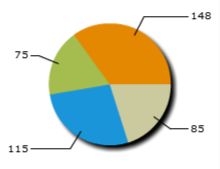
The dashboard, built by ESRIA, is a demo application which displays data using draggable drill down charts, forms, DataGrids, and links in a pod layout. You can modify layouts by dragging and dropping pods to a different location and minimizing, maximizing, and restoring pod windows. Layout changes are saved using a LocalSharedObject. Layout data is loaded from /data/pods.xml with values in pod.xml indicating which data files to load for a particular pod. You will need the datavisualization.swc to run this application.
Classic web title preserved in WebAssembly. Developer: Adobe Consulting.
The Flex Store application shows some of the user experiences that the Adobe Flex 2 framework provides. The Products page shows how you can use states, transitions, and UI techniques, such as showing more information as space becomes available, to improve your application. For example, if you change the filter options in the panel on the left, you can see the phones drop out and move around in the main Catalog panel. As you hover the mouse over a phone, more buttons appear that provide opportunities for adding the phone to the compare list, the shopping cart, or viewing its details. You can also drag the phone into the compare panel. If you add the phone to the shopping cart, the panel shifts and exposes the cart, which was hidden underneath. This behavior shows how you can re-use the screen real estate (the drag-and-drop operation also works with the shopping cart when it's visible). There are also grips on the sides of the screen that can change from viewing the cart to the filter panel and back. The labels in the upper-right corner of the panel also show which page you are currently viewing, and you can click the label to change the state.

Classic web title preserved in WebAssembly. Developer: Adobe Systems.
The Photo Viewer application is a straightforward photo-viewing application. The first screen shows thumbnails of each photo in the gallery. When you click those thumbnails, the selected image shows in the main part of the screen. The next screen is a different list view, which uses a component that simulates a carousel. If you press the Next and Previous buttons, the carousel rotates so that the selected image is centered. The final view is a slide show. The image shows full-screen, but if you hold the mouse over it, control bars appear that show the details. You can also pause the slide show, move to another image, or change back to other views.
Classic web title preserved in WebAssembly. Developer: Adobe Consulting.