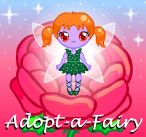
About Adopt-a-Fairy (Flash Games)
Adopt-a-Fairy is a classic release for Flash Games. Playable directly in your web browser without third-party plugins, this title runs at a locked 60 frames per second using client-side WebAssembly.
Open the rose to find your new, special little friend... :rose: :star: Your fairy is unique; there is never one quite the same!! :heart: Since my Adopt-a-Bunny game ( https://princess-peachie.deviantart.com/art/Adopt-a-Bunny-Game-137027730 ) was so popular, I decided to make this. :aww: I've had the idea lying around for over a year but I only bothered to start making it a week ago. xD;; Again, thank you so much to ~https://oyer.deviantart.com/ for the generator code!! :hug: :heart: Feel free to take a screenshot of your fairy for keeps. :) You can upload it into the Scraps section of your DeviantArt account but you MUST give credit and a link to my page! Thank you! :heart: NOTE: Sometimes DeviantArt has problems loading up certain Flash games. If the game won't load/work, simply refresh the page and wait a few seconds before clicking anything. This almost always solves the problem! :hug: --------------------------------------- This game is copyright Ruth Brain. Music and fairy's voice are also both copyright Ruth Brain. Sound effects are courtesy of FlashKit.com. :bulletpink: Do not steal, copy, edit and/or redistribute this game. :bulletpink: Do not post this game to other websites. :bulletpink: Do not remove my signature from your screenshots. Please respect the artist's rights. Thank you!
Active Controller & Keyboard Bindings
Your custom bindings are saved automatically per console and work immediately inside the emulator.
| Console Input | Keyboard Key | Gamepad Button | In-Game Action | Edit |
|---|