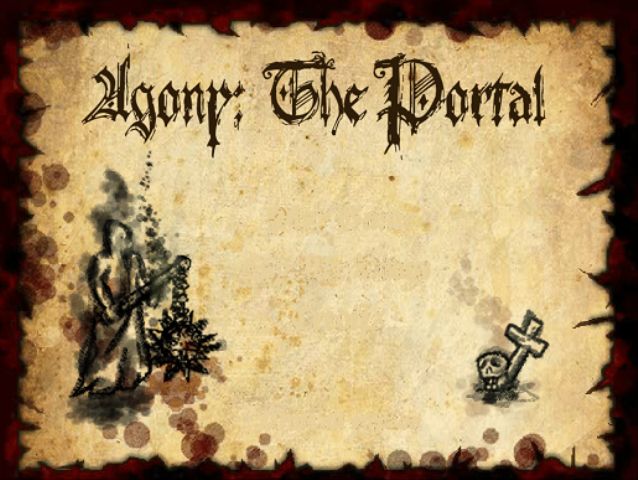
About Agony: The Portal (Flash Games)
Agony: The Portal is a classic release for Flash Games. Playable directly in your web browser without third-party plugins, this title runs at a locked 60 frames per second using client-side WebAssembly.
An action-laden fighting RPG. Features an epic story and challenging combo moves. Author Comments: After countless millenia of imprisonment in a long forgotten tomb, the lord of the undead is finally freed by careless grave robbers. The world is about to change forever.... Armed with a flail and an arsenal of spells and combat moves your ultimate goal is to collect ancient artifacts which are needed to open a portal to the realm of the dead. These artifacts are guarded by the kings of Gonia. There are 8 kings each belonging to a different race of enemies. --------------- If you liked the game, help us win the kongregate game contest! rate here: http://www.kongregate.com /games/OneExtraGames/agon y-the-portal (remove spaces from link) --------------- Controls: Movement : Arrow Keys or W,A,D Attack: Space or U Block: Shift or I ( Enemies attacking you from behind won't be blocked ) Spells: Numberkeys or Numpad. Hold 'down' to cast the fireball spell less steep or down, if jumping. CombatMoves: First you will need to learn the combat move after leveling up. The key combination needed is written in the description of the combat move. Charge: Forward + Forward + Attack Jump: Forward + Down + Attack use the left/right keys to steer in flight Teleport: Forward + Forward + Block Stunattack: Forward + Backward + Attack Slambomb: Down + Down + Attack use the left/right keys to steer in flight Slambomb also works when jumping. IMPORTANT: You can make combos by rapidly using combat moves. Press the key combination for the next combat move BEFORE the first one is finished. This combat move is then queued. You will receive damage boni to your combat moves and extra experience if you are able to create longer combos. If you think the game is TOO EASY try the HARD and INSANE mode. You will also receive much more experience,more attribute and skill points! *********************** ABOUT BUYING ITEMS: Many people seem to disapprove the idea of an item shop. This is a bit unfair. The ad revenues are rapidly decreasing while the effort to make a good game is rapidly increasing. As developpers we are dependant on other income sources to make a living. One possibility would be to ask for donations, in our case however we added a set of special items as a sign of gratification for the donator. The items aren't necessary to experience the game to the full, since you get special items after each king and the game is easy enough to beat without any extra items. In fact the game wasn't conceived to have virtual goods, it was the only way for us to (hopefully) cover the development costs (half a year) since we had no luck in finding a sponsorship. So we hope that you don't downrate the game because of the shop, since it's just another way of accepting donations which as we think is more desirable for the players. Besides you can get heyzap coins for FREE by just filling out some SURVEYS. *********************** UPDATE: 1.1 fixed some minor bugs and added some new background graphics. Also the normal mode is more difficult. *********************** Noted Criticism: - More different types of AI/Enemies ( Catapults, wizzards and so on) - More Combatmoves - Finesse & Magic to have more influence - Spells with less recharge time/ to be an alternative to the melee fighting - NPCs & quests - Harder levels Thanks for the constructive criticism. We will consider everything if there should be a sequel!
Active Controller & Keyboard Bindings
Your custom bindings are saved automatically per console and work immediately inside the emulator.
| Console Input | Keyboard Key | Gamepad Button | In-Game Action | Edit |
|---|