About Simanji (Flash Games)
Simanji is a classic release for Flash Games. Playable directly in your web browser without third-party plugins, this title runs at a locked 60 frames per second using client-side WebAssembly.
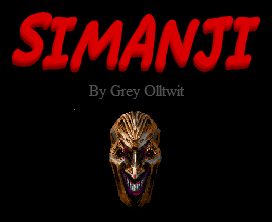
Granny Olltwit is stuck in a platform game, loosely based on the film, Jumanji. Several different levels, requiring skilful manoeuvring and careful thwacking with her trusty cane. How To Play This game is keyboard controlled. You can change the game to joystick controlled at the menu at the top of the screen. Basically you have to get 'Granny Olltwit' out of situations she finds herself in at the roll of the dice. The first screen after the titles is the board game where you press enter to roll the dice. Your counter is then automatically moved to the appropriate square. After each turn your character will be transported to a part of the game. Once each level is completed, you will be returned to the board game to roll the dice again until you reach the end. Use the arrow keys to move Granny around and 'shift' to jump. Use the jump as their are points in the game where she can jump onto hidden platforms to get out of trouble. Her telescopic walking stick is her weapon. Picking up jewels gives lives and medicine chests restore health, both of which are indicated in the bar at the top of the screen. The maximum number of lives you can earn is 9. When you have completed each level a box of gold will appear. Pick this up to move back to the board game for your next roll of the dice.
Active Controller & Keyboard Bindings
Your custom bindings are saved automatically per console and work immediately inside the emulator.
| Console Input | Keyboard Key | Gamepad Button | In-Game Action | Edit |
|---|