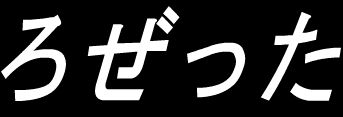
About ろぜった (Flash Games)
ろぜった is a classic release for Flash Games. Playable directly in your web browser without third-party plugins, this title runs at a locked 60 frames per second using client-side WebAssembly.
(Original Japanese) 今回のテーマは古代文字の解読です。 シャンポリオン気分でプレイいただければうれしいです。 --------- 遊び方 --------- マウスのみで操作します。 アイテムを使う場合は、アイテムをクリックして選択した後に、使用したい場所をクリックして下さい。 アイテムを選択した後、もう一度同じアイテムを選択すると、選択を解除できます。 アイテムを選択して about item をクリックするとアイテムを拡大して見ることができます。 アイテム拡大で他のアイテムを使うと、アイテムを組み合わせることができます。 音が出ます。びっくりしないでください。 --------- ご注意 --------- ゲームをするにはFlashPlayerのインストールが必要だと思います。 このサイトでのゲーム攻略に関する掲載はご遠慮ください。 --------- 素材提供 --------- Sound素材:WEB WAVE LIB様,TAM Music Factory様,効果音源様 (English translation by Microsoft Edge) The theme of this time is deciphering ancient characters. Champolion I'd be happy if you could play in the mood. --------- How to play --------- Operate with just the mouse. If you want to use an item, click on the item, select it, and then click where you want to use it. After you select an item, you can deselect it by selecting the same item again. Select an item and click about item to zoom in on the item. You can combine items by using other items in item enlargement. There is a sound. Don't be surprised. --------- Please note --------- I think you need to install FlashPlayer to play the game. Please refrain from posting about game strategy on this site. --------- Materials provided --------- Sound Material:WEB WAVE LIB , TAM MusicFactory , Effect Sound Source
Active Controller & Keyboard Bindings
Your custom bindings are saved automatically per console and work immediately inside the emulator.
| Console Input | Keyboard Key | Gamepad Button | In-Game Action | Edit |
|---|